
Table of Contents
ToggleAnalog Terminal Adapter VoIP: Complete Guide to Connecting Analog Phones to VoIP 2026
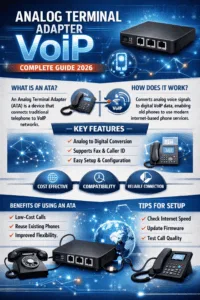
An Analog Terminal Adapter (ATA) for VoIP is a device that connects traditional analog telephones, fax machines, or PBX systems to a VoIP network. It converts analog voice signals into digital IP packets, allowing older telephone equipment to work with modern internet-based phone services without replacing existing hardware.
Businesses are moving to VoIP faster than ever. Lower operating costs, better flexibility, and cloud-based communication make internet calling the preferred choice for companies across Europe and North America.
Still, many organizations have perfectly functional analog phones sitting on desks. Hospitals, hotels, warehouses, retail stores, and even call centers often rely on analog devices that continue to work reliably every day.
Replacing every phone can become expensive, especially for companies with dozens or hundreds of extensions.
That’s exactly where an Analog Terminal Adapter VoIP solution becomes valuable.
Instead of replacing your existing analog telephones, an ATA allows them to communicate over a VoIP network, giving you the advantages of modern IP telephony while protecting your existing investment.
In this guide you’ll learn what an ATA is, how it works, where it’s used, how to choose the right model, and whether it’s still the right solution in 2026.
What Is an Analog Terminal Adapter (ATA)?
An Analog Terminal Adapter (ATA) is a hardware device that converts analog telephone signals into digital VoIP traffic.
Think of it as a translator.
Traditional telephones communicate using analog electrical signals. VoIP systems communicate using digital packets over an IP network.
The ATA sits between the two.
On one side, it connects to your analog telephone through an RJ11 phone cable.
On the other side, it connects to your router or network switch using Ethernet.
The adapter converts voice in both directions, making the analog phone behave like a SIP endpoint on your VoIP platform.
Without the ATA, a traditional analog telephone cannot communicate directly with a SIP server.
How Does an Analog Terminal Adapter VoIP Work?
The process happens almost instantly.
Step 1: Connect the Analog Phone
Your existing telephone plugs into the ATA’s phone port.
Nothing changes for the user.
They still pick up the handset and dial normally.
Step 2: Digitize the Voice
When someone speaks, the ATA converts analog audio into digital voice packets using codecs like:
- G.711
- G.729
- G.722
- Opus (supported on some newer devices)
The codec compresses and prepares the audio for transmission.
Step 3: Send Calls Through SIP
The ATA registers with your SIP provider or hosted PBX.
When a call is made, the device sends the voice packets through the internet.
Step 4: Convert Incoming Calls
Incoming digital voice is converted back into analog audio before reaching the telephone.
To the user, it feels exactly like using a traditional landline.
Main Components of an ATA
Although different manufacturers build slightly different products, most ATA devices include:
FXS Ports
These ports connect analog telephones.
Most adapters include:
- 1 FXS port
- 2 FXS ports
- 4 FXS ports
Business models may offer even more.
Ethernet Port
Connects the ATA to the local network.
Some devices include dual Ethernet ports so a computer can share the same wall connection.
Power Supply
Provides continuous power.
Unlike traditional PSTN lines, analog phones connected through an ATA won’t work during a power outage unless backup power is available.
SIP Configuration Interface
Usually accessed through a web browser.
Administrators configure:
- SIP server
- Username
- Password
- Codec settings
- VLAN
- QoS
- Security settings
Why Businesses Still Use Analog Phones
It’s easy to assume everyone has moved to IP phones.
That isn’t really true.
Many industries continue using analog devices because replacing working equipment simply doesn’t make financial sense.
Common examples include:
- Hotels
- Manufacturing plants
- Hospitals
- Schools
- Warehouses
- Government buildings
- Retail chains
- Elevator emergency phones
- Door intercom systems
- Fax machines
- Alarm systems
Instead of replacing hundreds of devices, companies install ATA adapters and migrate gradually.
That saves both time and money.
Benefits of Using an Analog Terminal Adapter VoIP
Lower Migration Costs
The biggest advantage is avoiding the cost of replacing every phone.
An ATA lets businesses continue using equipment they already own.
Easier Deployment
Employees don’t need training.
Their desk phones stay exactly the same.
That’s a big advantage during office migrations.
Compatibility with SIP Providers
Modern ATA devices support standard SIP protocols.
That means they work with many hosted PBX platforms and VoIP carriers.
Reliable Voice Quality
With a stable internet connection and proper QoS settings, call quality can match dedicated IP phones.
Gradual Network Upgrades
Businesses don’t have to replace every endpoint at once.
They can move department by department.
ATA vs IP Phone
Many people wonder whether buying an ATA is better than purchasing new IP phones.
| Feature | ATA + Analog Phone | IP Phone |
|---|---|---|
| Uses existing phones | Yes | No |
| Initial cost | Lower | Higher |
| Installation | Easy | Moderate |
| Advanced features | Limited | Extensive |
| HD display | No | Yes |
| Touchscreen | No | Available |
| Video support | No | Available |
| Expansion modules | No | Yes |
If your phones are still in good condition, an ATA often delivers excellent value.
For organizations needing advanced collaboration features, IP phones usually make more sense.
Common ATA Features
Modern ATA devices offer far more than simple voice conversion.
Features often include:
- Caller ID
- Call waiting
- Call forwarding
- Three-way conferencing
- Speed dialing
- Echo cancellation
- T.38 fax support
- Multiple SIP accounts
- IPv6 support
- TLS encryption
- SRTP voice encryption
- QoS prioritization
Premium business models also include remote provisioning for easier deployment.
How to Set Up an Analog Terminal Adapter
Installation is usually straightforward.
Connect the Hardware
Attach:
- Analog phone
- Ethernet cable
- Power adapter
Access the Web Interface
Enter the ATA’s IP address into a browser.
Log in using administrator credentials.
Configure SIP Settings
Enter:
- SIP server
- Extension
- Authentication ID
- Password
Save the configuration.
Test Registration
The ATA should register successfully with your VoIP provider.
Most devices display registration status through LEDs or their web interface.
Make a Test Call
Verify:
- Audio quality
- Incoming calls
- Outgoing calls
- Caller ID
- DTMF tones
A quick test now can prevent larger issues later.
Security Best Practices
VoIP devices should never be left with default settings.
A few simple changes improve security considerably.
Recommended practices include:
- Change default passwords
- Disable unused services
- Enable TLS and SRTP
- Keep firmware updated
- Restrict remote access
- Use VLAN segmentation
- Configure firewall rules
- Monitor SIP registration attempts
Small changes can prevent costly security incidents.
Analog Terminal Adapter vs VoIP Gateway
These products are often confused.
An ATA usually connects one or two analog telephones.
A VoIP gateway connects dozens or even hundreds of analog lines simultaneously.
| ATA | VoIP Gateway |
|---|---|
| Small offices | Enterprise deployments |
| Few users | Hundreds of users |
| Lower cost | Higher investment |
| Simple installation | Advanced configuration |
For most small businesses, an ATA is more than enough.
Typical Use Cases
Organizations commonly deploy ATA adapters for:
- Legacy office telephones
- Hotel guest rooms
- Warehouse phones
- Reception desks
- Fax machines
- Analog conference phones
- Security systems
- Elevator emergency phones
- Healthcare communication systems
- Retail stores
Many businesses even keep ATA devices after migrating to cloud communications because certain analog equipment simply isn’t practical to replace.
How to Choose the Right ATA
Before purchasing, consider:
Number of FXS Ports
One phone?
A single-port ATA works fine.
Need two phones?
Choose a dual-port model.
Codec Support
Ensure compatibility with your VoIP provider.
Support for G.711 and G.729 is generally expected.
Fax Support
If you still use fax, look for T.38 compatibility.
Security Features
Business deployments should support:
- TLS
- SRTP
- Secure provisioning
Management
Large organizations benefit from centralized provisioning and remote management.
Is an Analog Terminal Adapter Still Worth It in 2026?
Yes, for many businesses it absolutely is.
While IP phones continue to dominate new deployments, millions of analog devices remain in service worldwide.
Replacing every phone isn’t always practical.
An ATA offers a cost-effective bridge between legacy equipment and modern VoIP infrastructure.
For organizations planning gradual digital transformation, it’s often one of the smartest investments they can make.
Frequently Asked Questions
Can I connect any analog phone to VoIP?
In most cases, yes. Standard analog telephones can connect through a compatible ATA device.
Does an ATA require a SIP provider?
Yes. The ATA registers with a SIP server or hosted PBX to place and receive calls.
Can I use an ATA with a fax machine?
Yes. Many ATA devices support T.38 fax transmission, although compatibility depends on both the ATA and the VoIP provider.
Is call quality as good as an IP phone?
With a reliable internet connection and proper network configuration, call quality can be excellent and often indistinguishable for everyday voice calls.
What’s the difference between an ATA and a VoIP gateway?
An ATA connects individual analog devices, while a VoIP gateway is designed to connect multiple analog lines or enterprise telephony systems.
Conclusion
An Analog Terminal Adapter VoIP provides a practical way to modernize business communications without replacing existing analog telephones. It bridges traditional hardware with today’s SIP-based networks, helping organizations reduce migration costs while extending the life of reliable equipment.
Whether you’re upgrading a small office, supporting legacy devices in a large enterprise, or integrating fax machines and emergency phones into a cloud communication platform, an ATA remains a dependable and cost-effective solution. With the right device, proper configuration, and secure deployment, businesses can enjoy the benefits of VoIP while making the transition at their own pace.
References
- Internet Engineering Task Force (IETF) – SIP: RFC 3261: https://datatracker.ietf.org/doc/html/rfc3261
- Internet Engineering Task Force (IETF) – RTP: RFC 3550: https://datatracker.ietf.org/doc/html/rfc3550
- Internet Engineering Task Force (IETF) – SRTP: RFC 3711: https://datatracker.ietf.org/doc/html/rfc3711
- Internet Engineering Task Force (IETF) – T.38 Fax over IP Overview: https://datatracker.ietf.org/doc/search/?q=T.38
- GSMA IP Communications Guidelines: https://www.gsma.com/
Last edit: July 27, 2026 - 11:53 by ENG. Hisham Mohamed
Eng. Hisham Ibrahim is a telecommunications specialist with over 8 years of experience in the telecom industry, focusing on VoIP technologies, communication solutions, and emerging trends in the telecommunications sector. Throughout his career, he has gained extensive knowledge of telecom infrastructure, voice services, and modern communication platforms. In addition to his technical expertise, Eng. Hisham is a professional technical writer who creates insightful and industry-focused articles covering telecommunications, VoIP, cloud communication, and digital transformation. His writing combines practical industry experience with deep technical understanding, helping businesses and professionals stay informed about the latest developments in communication technologies. With a passion for technology and knowledge sharing, Eng. Hisham continues to contribute valuable content that simplifies complex telecom concepts and provides meaningful insights for readers around the world.